Best Online AutoCAD Training in Ghaziabad (2026)

We'd love to hear from you. Get in touch today!

Become a Professional AutoCAD Designer

Digital Vidya Training offers the Best Online AutoCAD Training in Ghaziabad (2026) through live interactive classes conducted by industry experts. This job-oriented AutoCAD course is specially designed for beginners, diploma holders, B.Tech students, civil engineers, architects, mechanical engineers, interior designers, and working professionals who want to build a successful career in CAD drafting and design.

Our comprehensive training covers AutoCAD 2D Drafting, 3D Modeling, Dynamic Blocks, XREF, Layouts & Plotting, Sheet Sets, Annotation, Professional Drawing Standards, and an introduction to Civil 3D workflows. Every topic is taught through real industry projects, practical assignments, and live demonstrations to help students gain hands-on experience.

Whether you want to secure your first AutoCAD job, switch your career, start freelancing, or upgrade your CAD skills, our AutoCAD Training Institute in Ghaziabad prepares you to work confidently on real-world engineering and architectural projects. We don't just teach software—we develop the practical skills employers expect from professional CAD designers.
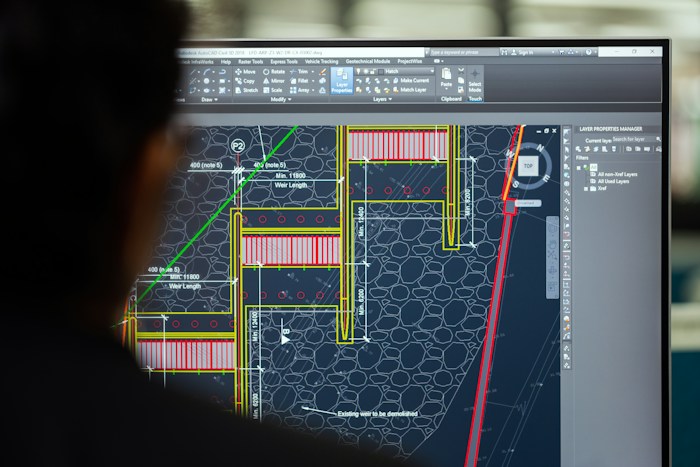
AutoCAD

Online atuocad taraining in ghaziabad

Looking for the best online AutoCAD training institute in India? Digital Vidya Training is a trusted and leading AutoCAD training institute offering job-oriented AutoCAD courses through live interactive online classes. Whether you want to master AutoCAD 2D & 3D, AutoCAD Civil 3D, or advanced drafting and design techniques, our industry-experienced trainers provide practical, project-based learning to help you build real-world skills. Our courses are ideal for beginners, diploma holders, engineering students, civil engineers, architects, mechanical engineers, interior designers, and working professionals who want to upgrade their technical skills and advance their careers from the comfort of their homes.

Our online AutoCAD training includes real-time classes, recorded sessions, live projects, assignments, and direct doubt-solving sessions with industry-experienced trainers. We cover everything from basic commands to complex 3D modeling, floor plans, elevations, sections, rendering, and BIM workflows. Students also get lifetime access to study material, practice drawings, and free software guidance.

At Digital Vidya Training, we focus on practical learning and 100% placement support. Thousands of students from Delhi NCR, Ghaziabad, Uttar Pradesh, Bihar, Rajasthan, and across India have successfully built their careers after completing our online AutoCAD Civil 3D course. With flexible batch timings, affordable fees, and certified training, we make quality CAD education accessible to everyone. we spent a lot of time in the field of industry and we know, what they want from thier employ belive us we will not teach you, how to oprate software we wiil teach you skills.

Not bother about your future if you are engineer, drafting and designer or you want to learn cad for your hobbyEnroll today in India’s trusted online AutoCAD training institute and transform your career in the design and construction industry.

Why Learn AutoCAD in 2026?

AutoCAD in 2025, 2026 has evolved significantly with AI-powered tools, advanced collaboration features, and seamless integration with Civil 3D, Revit, and BIM software. Mastering the latest AutoCAD 2026 is no longer optional — it has become essential for professionals who want to stay ahead in a highly competitive job market.

Engineers and designers skilled in modern AutoCAD now enjoy higher salaries, faster promotions, and better career opportunities in India and abroad. Whether you are a fresher, civil engineer, architect, or interior designer, learning AutoCAD 2026 opens doors to high-paying jobs, freelance projects, and global opportunities in the design & construction industry.

Digital Vidya Training offers the most practical and industry-relevant online AutoCAD course in Delhi NCR & Ghaziabad. Our program includes live interactive classes, real-time projects, hands-on assignments, and 100% placement assistance — making it one of the best choices for serious learners.

Don’t miss the opportunity. The professionals who master AutoCAD 2026we are saying again and again so get ready, today will lead the construction and design industry tomorrow.

Enroll Now in AutoCAD 2026 Course → Get Trained by Experts

₹3.5 - 12 LPA

Salary Range for Freshers to Experienced

95%

Companies Use AutoCAD

50,000+

Jobs Available in India

Global

Recognized Skill Worldwide

learning autocad is the best option to grow

AutoCAD remains one of the most powerful and industry-relevant skills in 2026. With India’s massive infrastructure growth, smart cities, highways, and real estate boom, the demand for skilled AutoCAD professionals is at an all-time high. Companies are actively looking for experts who can deliver accurate 2D drawings, 3D modeling, and BIM-compatible designs with speed and precision.

Here’s why learning AutoCAD in 2026 is a smart career move:

  • High Demand & Lucrative Salaries –
  • Global Career Opportunities –
  • Future-Proof Skill –

Mastering AutoCAD in 2026 is no longer optional — it has become essential for anyone who wants to build a successful career in design and construction. Whether you are a fresher, civil engineer, architect, or working professional, upgrading your AutoCAD skills now will give you a strong competitive edge in the job market.

At Digital Vidya Training, we offer the most practical and job-oriented AutoCAD Course in Delhi NCR with live online & offline classes, real projects, and 100% placement support.

Detailed AutoCAD Syllabus

Module 1: Introduction to AutoCAD
  • Overview of AutoCAD and its & applications in Industry
  • AutoCAD 2026 Interface
  • MRibbon
  • Workspace & Customization
  • Units & Limits & Setup
  • Drawing & Navigation Tools (Zoom, Pan, etc.)& Dynamic Blocks
Module 2: Basic Drawing Commands
  • Overview of AutoCAD and its & applications in Industry
  • AutoCAD 2026 Interface
  • MRibbon
  • Workspace & Customization
  • Units & Limits & Setup
  • Drawing & Navigation Tools (Zoom, Pan, etc.)& Dynamic Blocks
Module 3: Advanced 2D Drafting
    li>Object Snap & Object Tracking
  • Trim, Extend, Break, Join, Array (Rectangular, Polar & Path)
  • Move, Copy, Rotate, Scale, Mirror, Stretch
  • Grip Editing & Quick Properties
Module 4: Layers, Properties & Styles
  • Layer Management (Create, Freeze, Lock, Isolate)
  • Line Type, Line Weight & Color
  • Text Styles & Multiline Text
  • Dimension Styles & Leaders
  • Table Creation
Module 5: Blocks & Attributes
    Create & Insert Blocks & Object Tracking
  • Dynamic Blocks
  • Attribute Definition & Extraction
  • Block Library Management & Quick Properties
Module 6: Advanced Tools & Productivity
  • Design Center & Tool Palettes
  • External References (XREF)
  • Viewports & Layouts (Paper Space)
  • Plotting & Leaders
  • Printing Settings &Template Files (.DWT)
Module 7: 3D Modeling Basics
  • 3D Workspace & Navigation
  • 3D Primitives (Box, Cylinder, Sphere, etc.)
  • Extrude, Revolve, Sweep, Loft, Presspull
  • Visual Styles & Rendering
  • 3D Modify Tools & (Union, Subtract, Intersect)
Module 8: Project Work & Portfolio
  • Floor Plan with Furniture Layout
  • Elevation & Section Drawing
  • 3D Building Model
  • Real-time Industry Project (Residential / Commercial)
  • Portfolio Preparation & Resume Guidance

Who Should Join This Course?

Engineering Students

Civil, Mechanical, Electrical, Architecture

Working Professionals

Looking for skill upgrade

Interior Designers

Want to create professional drawings

Freelancers

Who want to earn from home

Key Benefits of This Course

Live Classes

Interactive learning with expert trainer

Real Projects

Build portfolio with 8+ industry projects

Job Support

Resume & Interview Preparation

Lifetime Access

Recordings + Future Updates Free

Ready to Become an AutoCAD Expert?

Join our next batch starting soon

Enroll Now – Only ₹4,999

Payment Options: UPI, Card, Net Banking, EMI